Setting Up TenPayGo
- Download the app
- Register with your email
- Draw a gesture password
- Add a payment method and pay
Frequently Asked Questions
Does TenPayGo require a Chinese phone number?
No. Registration takes only an email address: you enter your email, type in a verification code, set a password, and draw a gesture pattern. This is the app's core pitch — none of China's mainstream wallets let you sign up without a phone number.
What cards can I link to TenPayGo?
International cards on seven networks: UnionPay, Visa, Mastercard, American Express, JCB, Diners Club, and Discover. You can also add Apple Pay or one of the partner foreign e-wallets. Cards issued in mainland China are not supported — TenPayGo only accepts foreign-issued payment methods.
Do I need a WeChat account to use TenPayGo?
No. TenPayGo is a standalone app built on WeChat Pay's "foreign card, domestic use" infrastructure, but it works entirely on its own — no WeChat account, no mini programs, no social features. That's exactly what makes it attractive for a one- or two-week trip.
Does TenPayGo charge fees?
Paying with an international bank card or Apple Pay may include a service fee, which TenPayGo displays on the confirmation screen before you approve the payment — you'll see an "International Card Fee" line with the exact amount. Wallet payments depend on the wallet you linked. Your own bank's foreign-transaction fee, if any, is separate.
Where does TenPayGo work?
At merchants across mainland China that accept WeChat Pay — restaurants, shops, supermarkets, taxis, hotels, attractions — by scanning the merchant's QR code or showing your own payment code. Two features are city-limited for now: the built-in transit QR card covers Shenzhen metro and buses, and instant tax refund is Shenzhen-only at launch.
Can I use TenPayGo if I live in China?
It's the wrong tool for residents. You can't link a Chinese bank card or hold a balance, so it can't replace a local wallet. If you're staying long-term, set up WeChat Pay or Alipay with your passport and Chinese number — see the Chinese Internet Survival Guide for the full picture.
How do I get a refund on a TenPayGo payment?
Refunds are initiated by the merchant, not by you in the app: agree with the merchant first, they push the refund from their side, and the money returns to the original card or wallet automatically. You can track payments and refunds in the app's Transactions tab. Arrival time depends on the merchant, card network, and your bank.
Is TenPayGo available for Android and iPhone?
Yes — search "TenPayGo" on the Apple App Store or Google Play. The app is published by Tencent Technology (Shenzhen) Co., Ltd. It launched on September 24, 2026, so it is very new: expect frequent updates.
Quick Summary: TenPayGo is a brand-new standalone payment app from the WeChat Pay team, made for short-term foreign visitors. Register with only an email address, link an international card, Apple Pay, or a partner foreign wallet, and pay wherever WeChat Pay is accepted in mainland China — which is practically everywhere. It adds AI translation, a no-questions-asked Shenzhen transit card, and Shenzhen-only instant tax refund on top. This guide covers who it’s for, exactly what it supports, and how to set it up, with screenshots taken from the live app on launch week.
On September 24, 2026, WeChat Pay’s official account announced TenPayGo with a typically playful exam-question intro (“Your foreign friend is coming to China — what do you tell them?”). The serious answer underneath: until now, foreigners had two paths — the classic “bind a foreign card inside WeChat or Alipay” (外卡内绑), or “use a foreign wallet app that works inside China” (外包内用). TenPayGo packages both into one lightweight app aimed squarely at people who are here for days or weeks, not years.
We installed it on launch day and walked through every screen. Here’s the full picture, including the fine print about where it works and what it doesn’t support.
What Is TenPayGo?
TenPayGo is a standalone mobile app built by the WeChat Pay team (publisher of record: Tencent Technology (Shenzhen) Co., Ltd., the entity behind Weixin Pay / Tenpay). It runs on the same acceptance network as WeChat Pay — tens of millions of merchants — but it is not WeChat: no chat, no mini programs, no Chinese phone number requirement, no WeChat account needed.
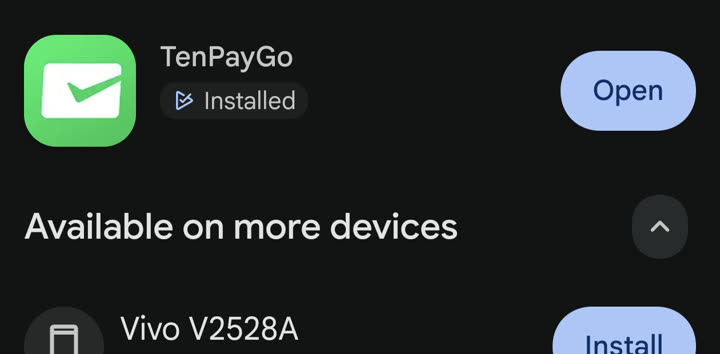 TenPayGo on Google Play, launch week: published by Tencent Technology (Shenzhen), free to install.
The official tagline is “Pay and explore in China” — and that second word matters. Beyond payments, the app ships with an AI conversation translator, an AI camera that explains sights and translates menus, a transit QR card for Shenzhen, and an in-app tax-refund jump page. Think of it as “WeChat Pay, minus the super-app, plus a tourist toolkit.”
Who TenPayGo Is For (and Who It’s Not For)
This is the scope question, and the official FAQ is unusually blunt about it. TenPayGo is a visitor app: it supports only foreign-issued payment methods.
TenPayGo fits you if:
- You’re visiting China for days or a few weeks and don’t want to set up a full WeChat or Alipay account.
- You don’t have (or don’t want to use) a Chinese phone number — registration is email-only.
- You have an international card on one of the seven supported networks, Apple Pay, or an e-wallet from the partner list below.
- You want payments, translation, transit and tax refund bundled in one app.
TenPayGo does not fit you if:
- You live in China. You cannot link a mainland-Chinese bank card, and you cannot hold a balance (the one exception: the Shenzhen transit card’s top-up balance, which is transport-only). There are no person-to-person transfers, no red packets, no bill splitting.
- You already have WeChat Pay or Alipay working with your foreign card — you’d gain little except the tourist extras.
- You need cash withdrawal, overdraft, credit, or anything bank-like. It’s a payment front-end, not an account.
For long-term stays, the standard route — passport + Chinese number + WeChat Pay/Alipay — is still the one with full functionality; our Chinese Internet Survival Guide walks that path step by step.
Where You Can Pay: The Acceptance Scope
TenPayGo rides on WeChat Pay’s merchant network. In practice that means the QR codes you already see everywhere in China — restaurants, street food, convenience stores, supermarkets, taxis and DiDi, metro stations, hotels, tourist attractions.
There are exactly two ways to pay, matching how Chinese QR payments work:
- Scan the merchant’s QR code (the printed or displayed code at the counter or stall), enter the amount if prompted, confirm.
- Show your own payment code (QR + barcode in the app) for the cashier to scan — the default in supermarkets and chain stores.
Both work online and offline at any merchant that displays a WeChat Pay code. If a shop takes WeChat Pay, your TenPayGo works there — no separate sticker, no special “foreigner mode.”
The fine print on geography: the payment network is nationwide, but at launch two extras are city-scoped to Shenzhen — the built-in transit card and the tax-refund feature (details in the Go tab section below). Tencent is headquartered in Shenzhen and launched both with Shenzhen partners (Shenzhen Tong for transit, ICBC’s Shenzhen branch for tax refund), so treat them as pilots that may expand.
What You Can Link: Cards, Apple Pay, and 34 Wallets
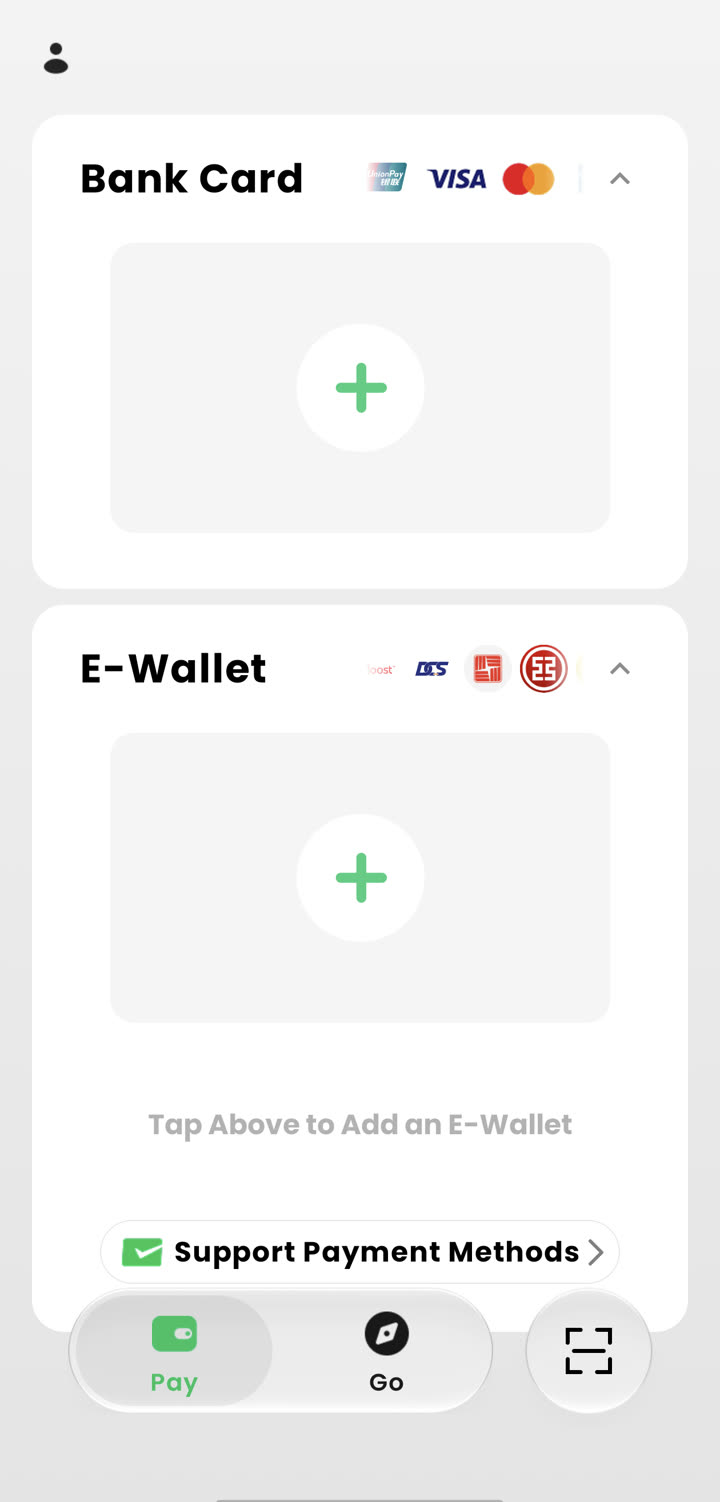 The Pay tab: add a bank card (top) or e-wallet (bottom); the Support Payment Methods link opens the full compatibility list.
Three categories of payment methods are supported — and one important category is not.
International bank cards — 7 networks. UnionPay, Visa, Mastercard, American Express, JCB, Diners Club, and Discover. The card must be issued outside mainland China.
Apple Pay. You can attach Apple Pay and confirm payments with it — unusual among China-facing wallets, and convenient if you’d rather not type card details into a brand-new app.
Partner foreign e-wallets (“外包内用”). These are wallets that already work inside WeChat Pay’s network, now gradually being connected to TenPayGo as well. The official announcement put the first batch at ShopeePay and Starryblu, with around 60 partners expected by the end of 2026. Counting the in-app list on launch day, 34 wallets were already live:
- South Korea (8): Naver Pay, KB Pay, KB Star Banking, Shinhan SOL Pay, Hana Pay, Hana Money, Hana OneQ, Moreta
- Thailand (3): ShopeePay Thailand, Bangkok Bank, K PLUS
- Singapore (2): ShopeePay Singapore, LiquidPay
- Vietnam (2): MoMo, Zalopay
- Hong Kong / Macau (4): Octopus, BoC Pay+, BOC Macau, Tap&Go
- Cambodia / Laos (3): Bakong, BCEL One, LOCA Pay
- Malaysia / Mongolia (2): Boost, Social Pay
- Also listed at launch: Starryblu, Hipay, Toki, Travel Wallet, Purple GLN, DCS, East West Bank, ICBC Pay, PayZe, Velo Tech Service
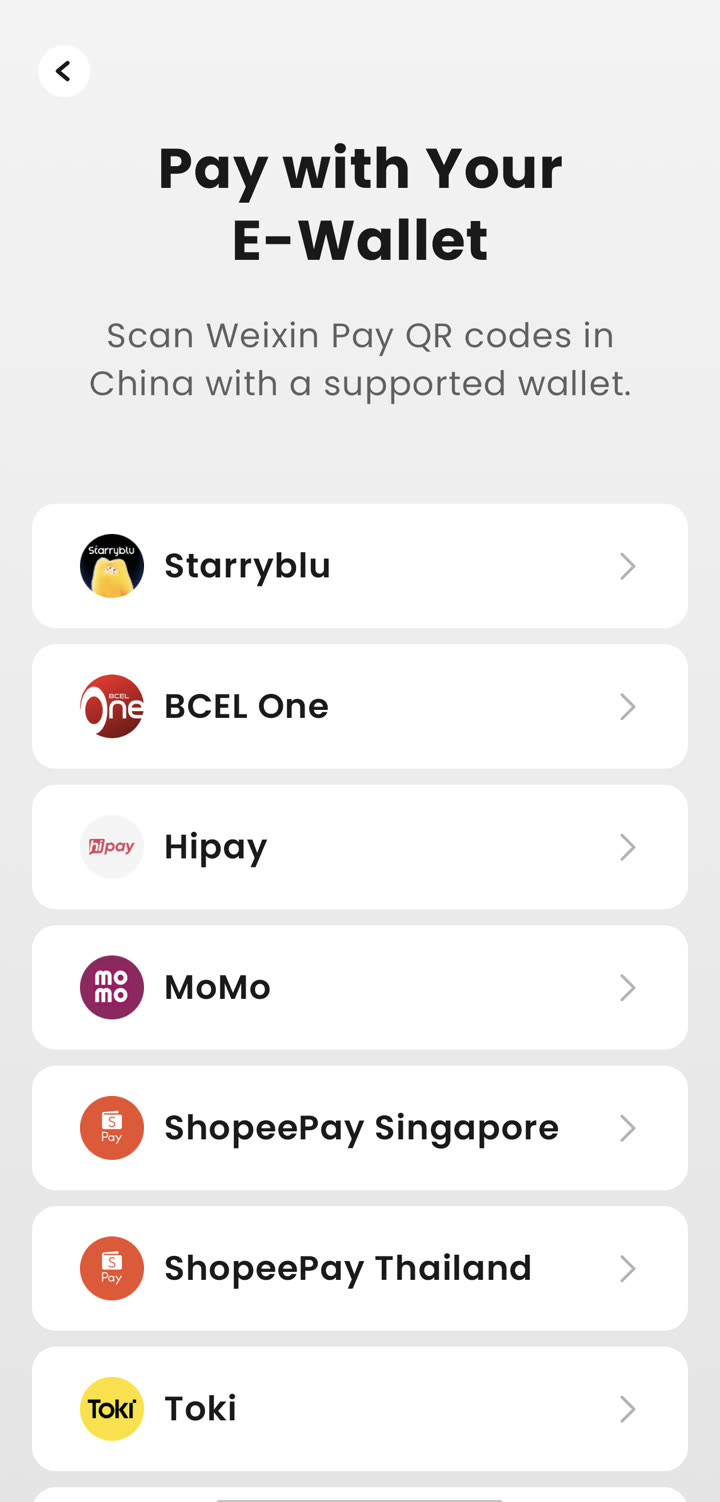 The “Pay with Your E-Wallet” list on launch day — scan Weixin Pay QR codes in China with a supported wallet.
If your home wallet is on this list, the flow is even lighter than card binding: your wallet app handles the top-up or direct charge, and TenPayGo supplies the QR scanning inside China.
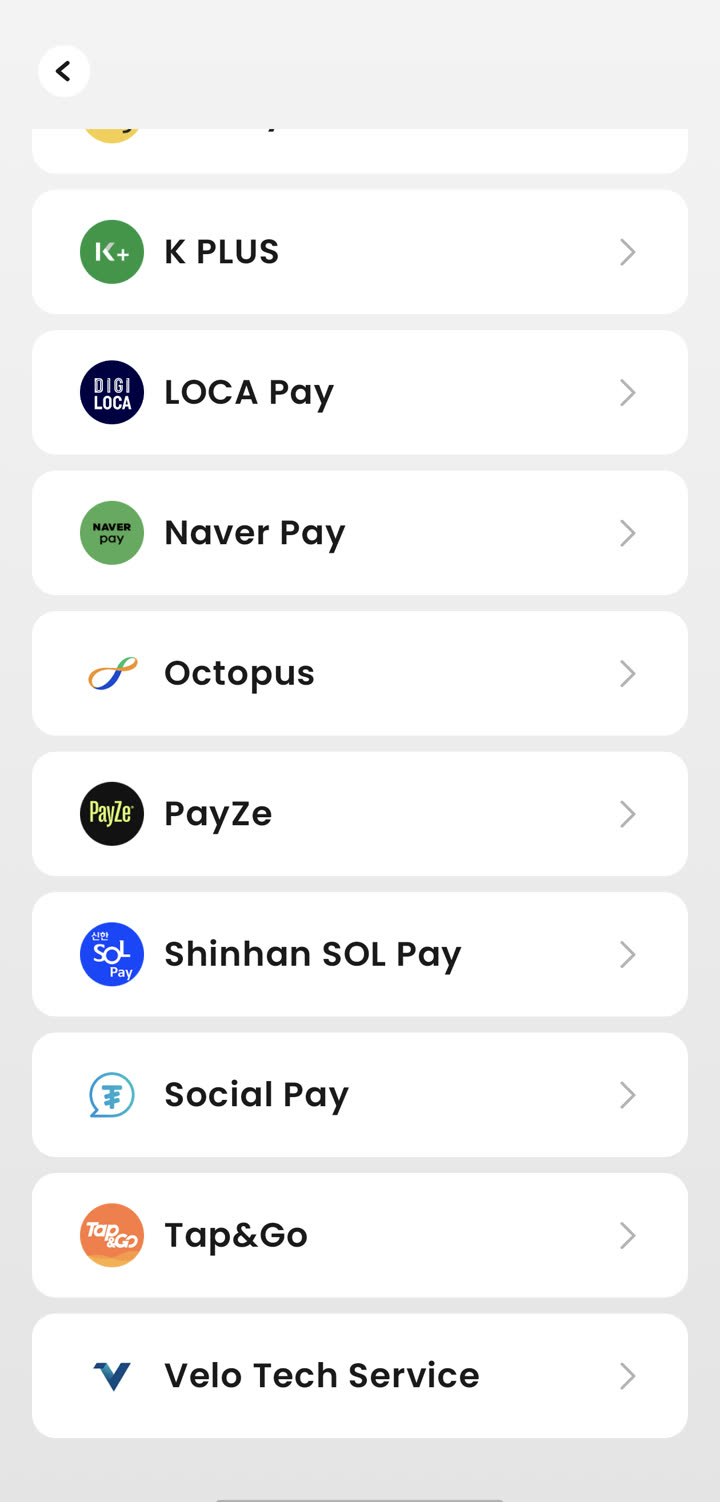 The end of the wallet list, including Korean, Hong Kong and Macau wallets.
Not supported: mainland-Chinese bank cards and accounts, WeChat Pay balance, Alipay balance, and cash top-up. If a payment method only exists inside China, TenPayGo won’t take it — by design.
Fees: What Paying Actually Costs
The official FAQ is honest but vague on numbers: payments with an international bank card or Apple Pay may include a service fee, and the app shows the exact fee on the confirmation screen before you approve — there’s a dedicated “International Card Fee” line in the payment sheet. In the official walkthrough example the fee line displayed as ¥0.00, which suggests fee-free pilot pricing for some card types, but treat every payment screen as the source of truth.
Separate from that: your own bank may charge its standard foreign-transaction fee, and currency conversion happens at the time of each payment. Wallet payments follow the wallet’s own pricing — several of the “外包内用” wallets (Octopus, ShopeePay, Korean banking apps) historically charge no top-up fee for this use case, but that’s the wallet’s policy, not TenPayGo’s.
Unlike the classic foreign-card binding on WeChat/Alipay, TenPayGo’s FAQ does not publish per-transaction or annual caps. Check the fee line on your first payment; if you hit a limit, it will be shown there too.
Setting Up TenPayGo: Step by Step
Setup takes about five minutes and never touches a phone number. The app itself walks you through it, but here’s the whole path with what each screen looks like:
1. Download and install. Search “TenPayGo” on the App Store or Google Play (see the Play Store shot above). Check the publisher — Tencent Technology (Shenzhen) Co., Ltd. — because payment-app lookalikes are a real genre.
2. Register with email. Continue with Email → enter your address → type in the verification code → set a login password. That’s the entire identity requirement. Note what’s absent: no phone number field at all, and no passport/KYC step at signup for basic use.
3. Draw a gesture password. Connect at least six dots. This pattern authorizes payments, so don’t pick something a shoulder-surfer can trace.
4. Add a payment method. On the Pay tab, tap the ”+” in the Bank Card section for the card form (number, expiry, CVV, billing address) or the E-Wallet section to pick your wallet from the compatibility list. Apple Pay attaches from the same screen.
5. Pay. In a store, either hit the big scan button (bottom-right of the tab bar) to scan the merchant’s code, or tap Pay to present your own code. Confirm with the gesture, check the fee line, and you’re done.
The “Go” Tab: Translation, Transit, Tax Refund
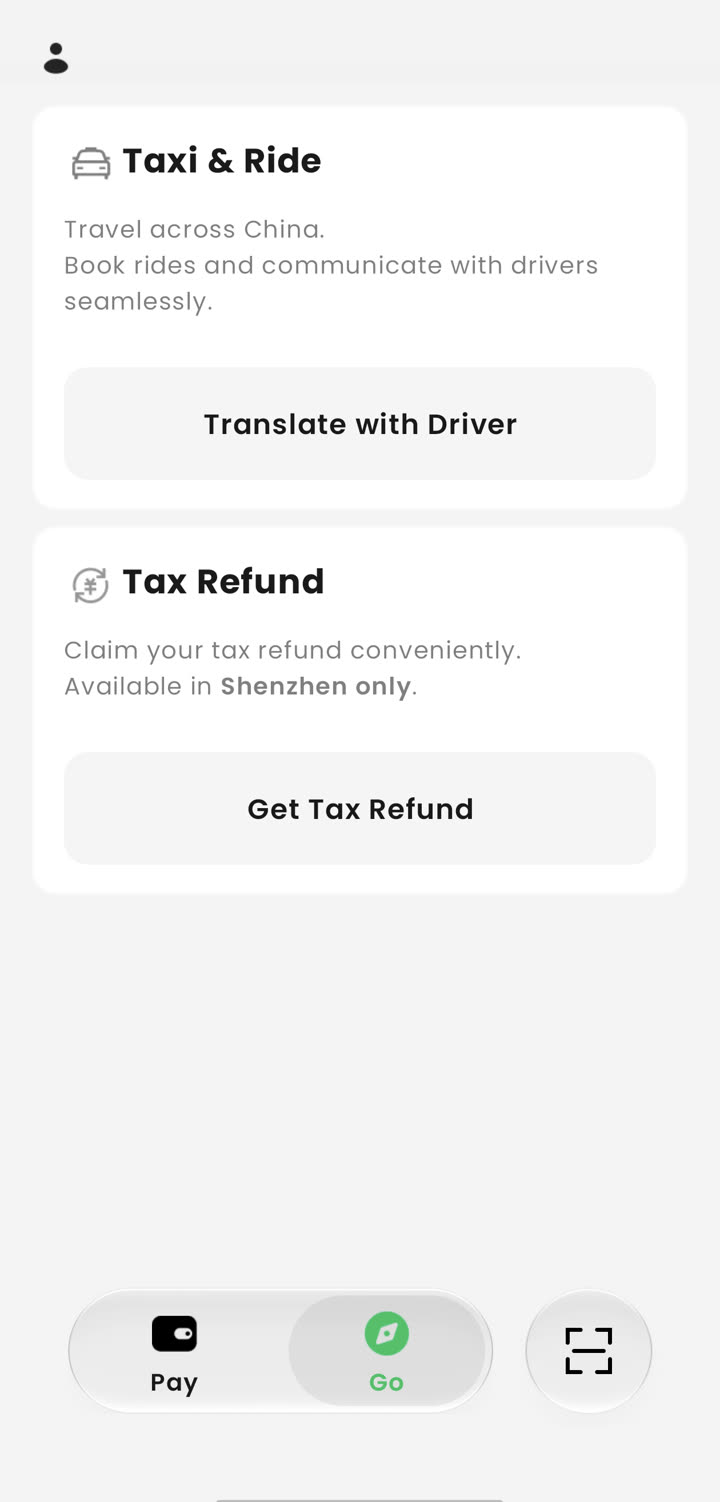 The Go tab is where the “explore” half lives: Taxi & Ride with driver translation, and tax refund — Shenzhen only at launch.
Payments alone wouldn’t justify a new app in 2026 — WeChat already pays. The “Go” tab is Tencent’s attempt to solve the other two walls visitors hit: language and city logistics.
AI conversation translation. Tap “Translate with Driver” (or the mic in the conversation screen), hold to speak, and the app translates live both ways. We tested it with a spoken Chinese phrase — 去汉口火车站 (go to Hankou Railway Station) — and got a clean English rendering with a speaker button to play it aloud:
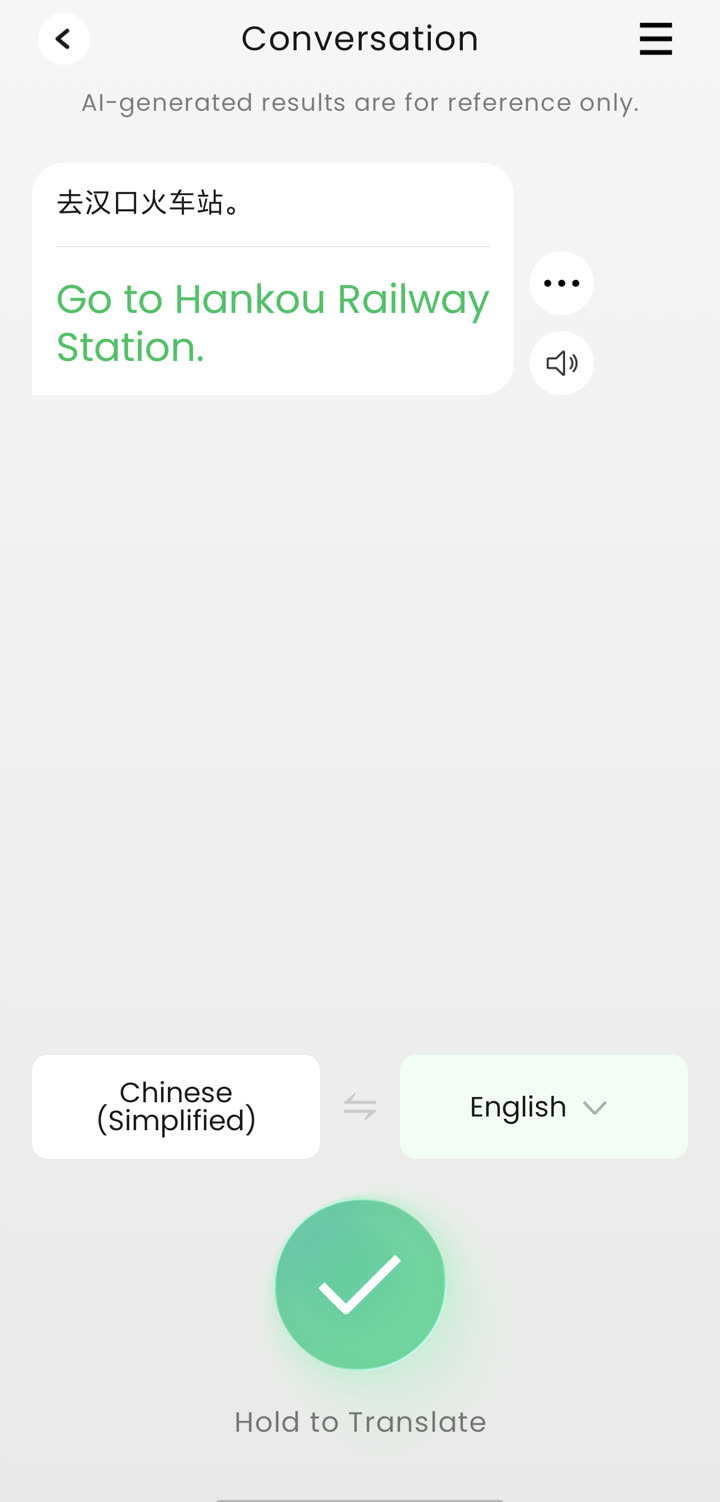 Hands-on: the AI conversation screen translated a spoken 去汉口火车站 into “Go to Hankou Railway Station.” The app carries an “AI-generated results are for reference only” disclaimer.
The official guide lists English, Korean, Spanish, Thai and French among supported languages, and positions the feature for taxi rides specifically — hence the button name.
AI camera — “Explain This.” The scan button opens a camera with two modes: Scan QR (payments) and Explain This. Point it at a landmark or a menu, and the AI explains or translates what it sees; the official guide says it currently covers the languages of APEC member economies, and that recognizing a menu can turn it into a tappable, translated ordering list. In a country where menus are still the number-one translation request, this is the feature with the most daily-use potential.
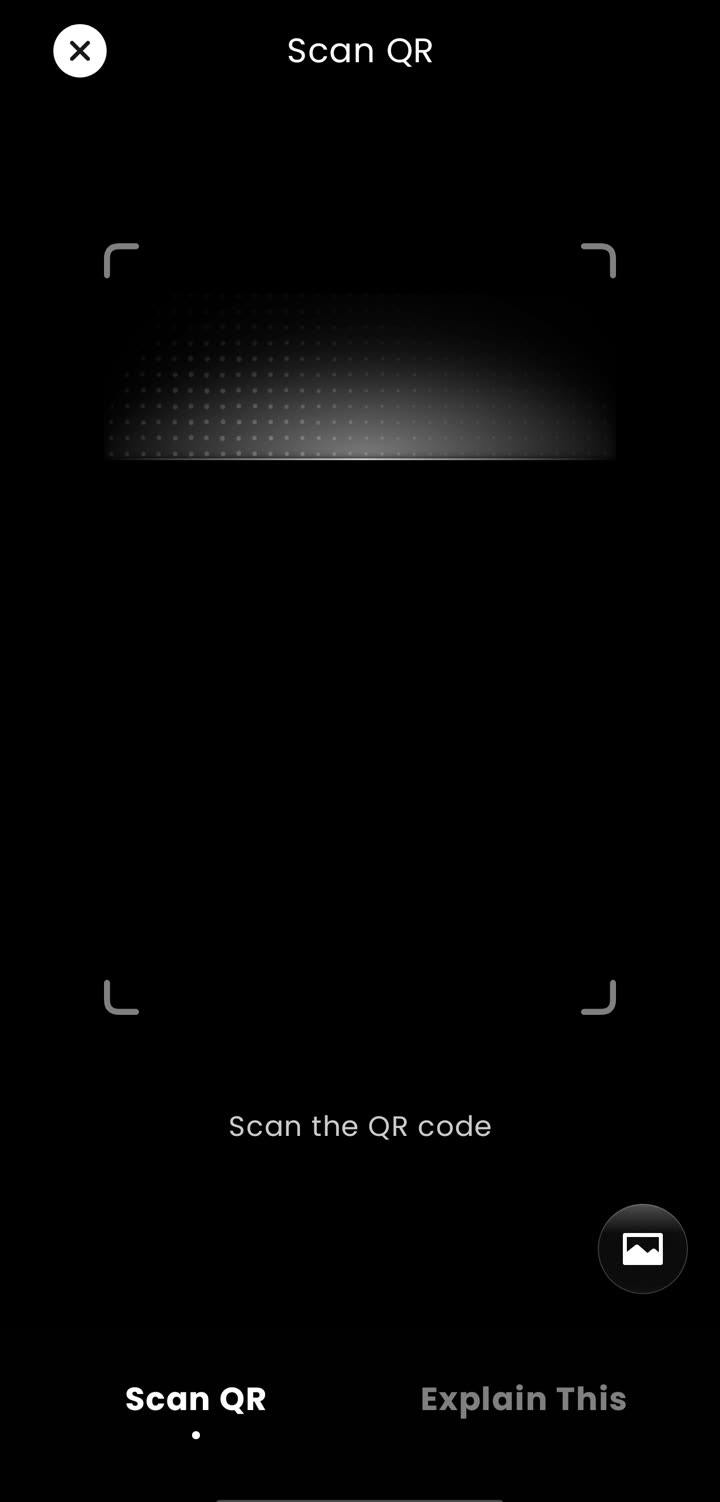 The camera doubles as payment scanner (Scan QR) and AI explainer (Explain This).
Shenzhen transit card. Under Go → Taxi & Ride, the Bus & Metro option issues a Shenzhen Transit Card: top it up in-app and ride Shenzhen metro and buses with a QR code. The official pitch is bold for China — no phone number and no real-name verification required, which makes it the only piece of TenPayGo that holds a balance. If your trip includes Shenzhen (many do — it’s the Hong Kong border crossing), this alone saves the usual transit-card dance.
Tax refund (Shenzhen only). China’s departure tax refund for shopping is normally a paper process at airport counters. TenPayGo partners with ICBC’s Shenzhen branch to jump straight to a refund flow inside the app — the in-app copy is explicit: “Available in Shenzhen only” at launch. If you’re shopping in Shenzhen before flying out, check it before doing the airport-counter queue.
TenPayGo vs WeChat Pay vs Alipay
| TenPayGo | WeChat Pay (in WeChat) | Alipay | |
|---|---|---|---|
| Sign-up needs | Email only | Phone number + more setup | Phone number + more setup |
| Foreign card | 7 networks + Apple Pay | Visa/Mastercard/etc. | Visa/Mastercard/etc. |
| Foreign wallet | 34 at launch, ~60 planned | Larger “外包内用” list | TourPass discontinued |
| Extras | AI translate, Shenzhen transit + tax refund | Full super-app: chat, mini programs | Full super-app + Taobao |
The honest summary: if you’ll be in China for more than a month, WeChat and Alipay are still mandatory infrastructure — messaging, mini programs, food delivery, the lot (see our WeChat for foreigners and Alipay for foreigners guides, or the direct how to pay in China comparison). TenPayGo is for the trip where you want to land, scan, eat, ride the metro, and fly home without adopting a super-app.
Early-Days Caveats
- Launched September 24, 2026. The app is days old. Expect UI churn, feature gating, and regional rollouts (the Shenzhen scoping is the first example).
- AI outputs carry a disclaimer. The translation screens state results “are for reference only” — fine for taxi small talk, risky for medical or legal conversations.
- Refunds go through the merchant. TenPayGo can’t push a refund itself; the merchant initiates it and it returns to your original card. Keep your Transactions tab as the paper trail.
- Support: in-app Support → Send Feedback, the Customer Support link at the bottom of the in-app user guide, email at [email protected], or the hotline from the official site (+86 571 95017, 09:00–21:30 China time).
- No balance, no transfers — by design. If a vendor asks you to “transfer to my personal code,” that’s a person-to-person payment TenPayGo can’t do; scan a merchant code instead.
Sources & Verification
- WeChat Pay official account announcement (微信派), September 24, 2026 — product scope, wallet roadmap (~60 by year-end), Shenzhen partnerships, official FAQ
- tenpaygo.com — official site: acceptance categories, “no Chinese phone number or Weixin account needed,” support hotline
- Hands-on with the live app on Google Play, September 24, 2026 — registration flow, payment method list (34 wallets), Go tab, tax-refund city scope; screenshots archived on this page
Last verified: September 24, 2026.